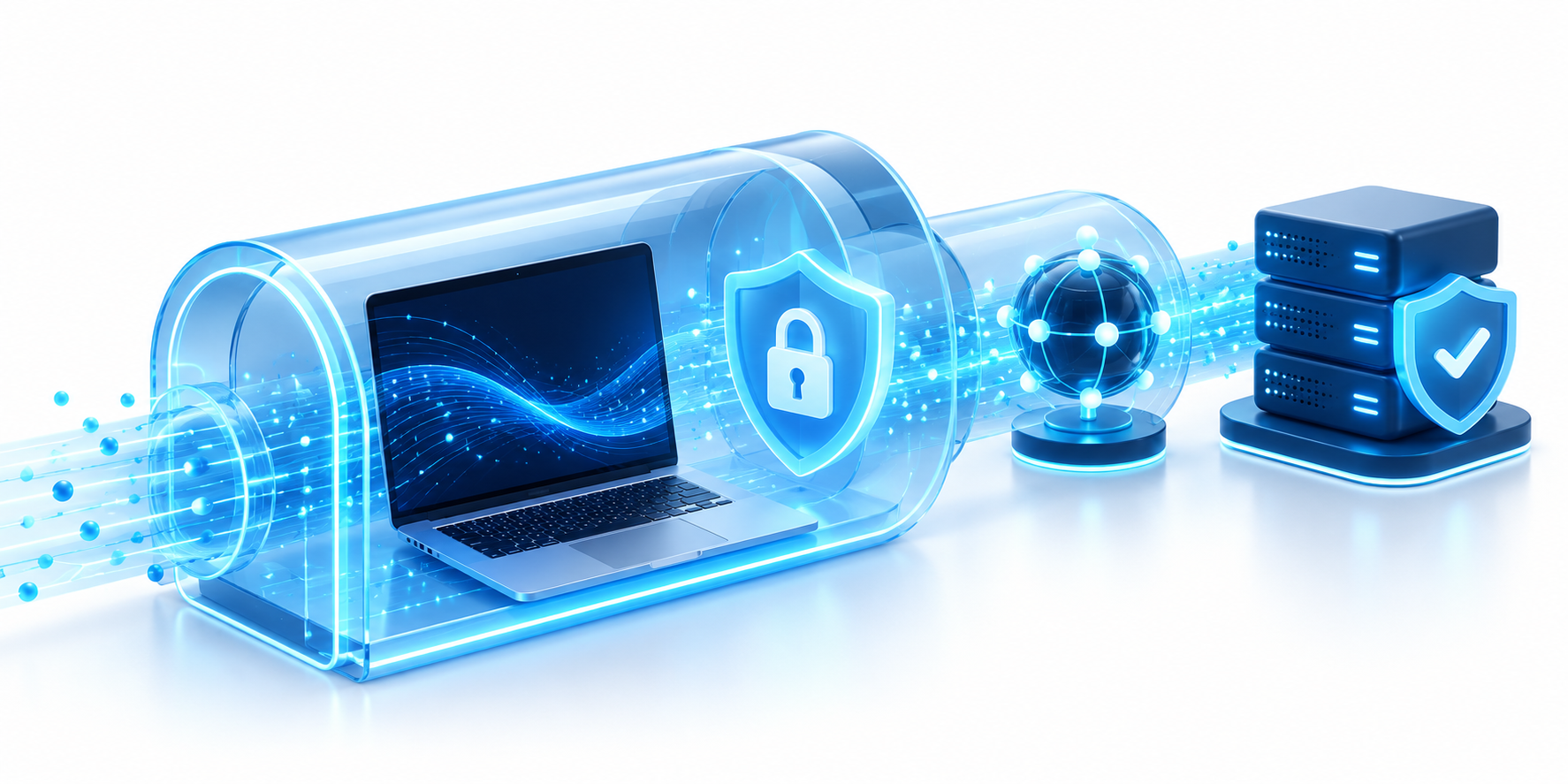
A VPN encrypts traffic between a laptop and its VPN server.
Quick summary:
- VPN privacy security depends on what the tunnel covers: it encrypts traffic between your device and the VPN server, but cannot fix an infected device or protect every later step.
- Compare five safeguards: current tunnel protocols, DNS routing, leak protection, a kill switch for dropped connections, and clear provider logging and security practices.
- A VPN shifts trust from your local network or internet provider to the VPN company. Ownership, retention, audits, incident history, and payment or analytics practices matter.
- A VPN can mask your home IP and DNS lookups, but accounts, cookies, and browser settings may still identify you. Private browsing only limits local history.
- Use HTTPS, unique passwords, multifactor authentication, updates, and careful app permissions alongside a VPN. Free plans vary; check funding, routing, and leak tests, and use your organization’s approved setup for work.
VPN privacy security is often described as a single benefit, but it depends on several separate controls. A VPN can encrypt traffic between your device and its gateway, yet it cannot guarantee anonymity, stop every form of tracking, or make an unsafe provider trustworthy. Think about the full path your data takes: from your device, through the VPN server, and then to the website or app you use. For a related look at speed and latency, see our guide to VPN proxy speed.
1. Tunnel Encryption and VPN Privacy Limits
A VPN tunnel encrypts data as it travels from your device to the VPN server. This can make it harder for people on the same public Wi-Fi network to read that data. The software and devices at both ends still matter. After data leaves the VPN server, the VPN no longer protects it; HTTPS usually protects the separate connection between your browser and the website. For workplace VPNs, CISA and NSA’s selection and hardening guidance explains why updates and secure configuration matter.
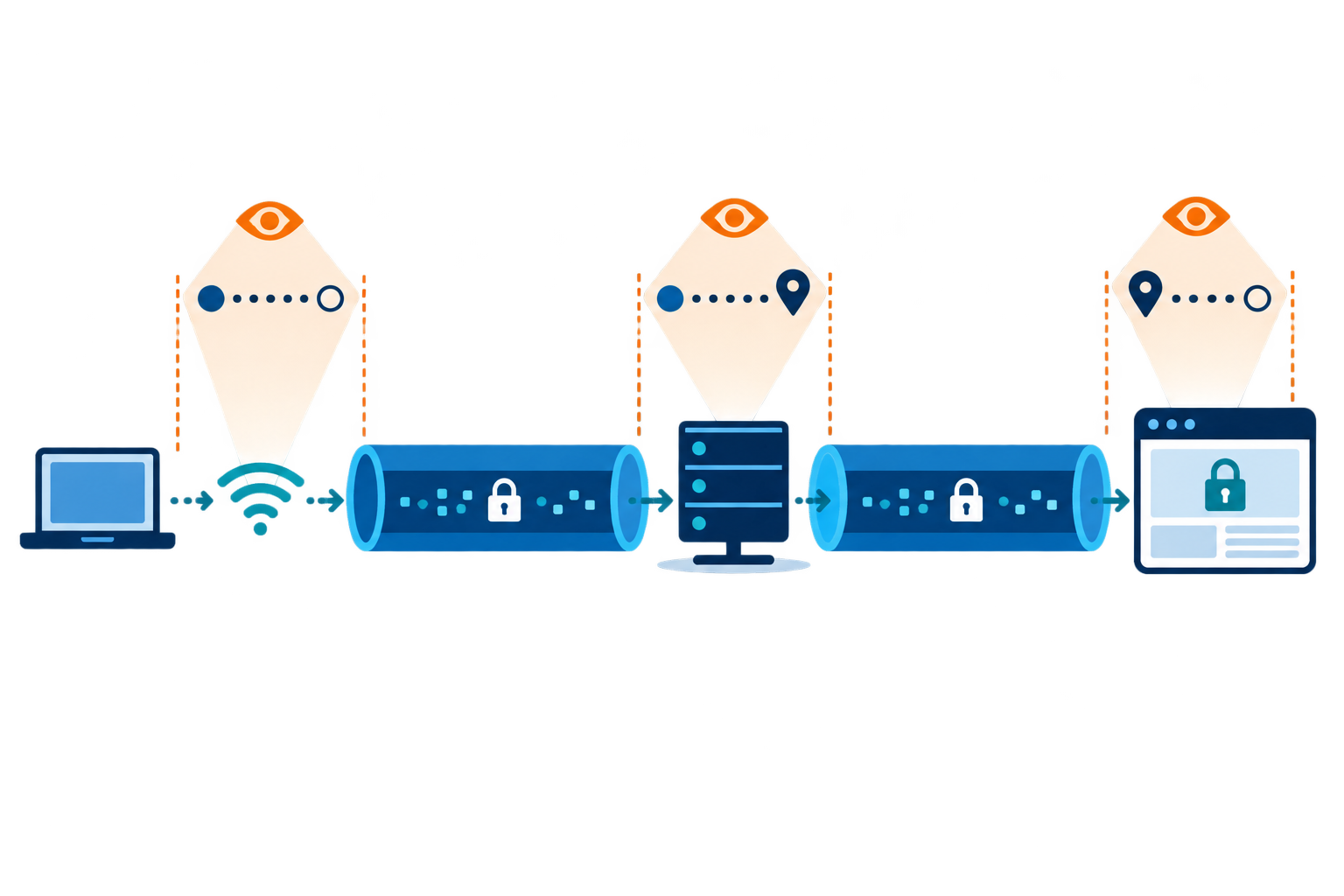
A VPN is not a substitute for secure accounts, multifactor authentication, software updates, or cautious downloads. If malware runs on your device, it may read information before encryption or after decryption. Think of the VPN as one layer in a broader security plan rather than a shield against every online threat.
A VPN mainly protects the connection between your device and its server. It does not stop every kind of tracking or protect a device that is already infected.
2. IP Address and DNS Exposure
A VPN can make a website see the VPN server’s public IP address instead of your home network’s address. This may hide your direct location, but it does not make you anonymous. Websites may still recognize your account, browser settings, cookies, or activity patterns.
DNS is the system that looks up a website name, such as example.com, and finds its network address. If those lookups go outside the VPN tunnel, the network may see which sites you are trying to visit. Check that the VPN handles DNS requests as promised, then test again after changing networks.
3. Provider Logs and Operational Trust
The VPN company sits between your device and the rest of the internet. Depending on how its service works, it may see when you connect, how much data you use, and which addresses you contact. Look for a clear privacy policy, identifiable ownership, and independent reviews where available. A “no logs” slogan alone is not proof. The FTC’s advice on VPN apps also recommends checking app permissions, encryption, and data sharing.
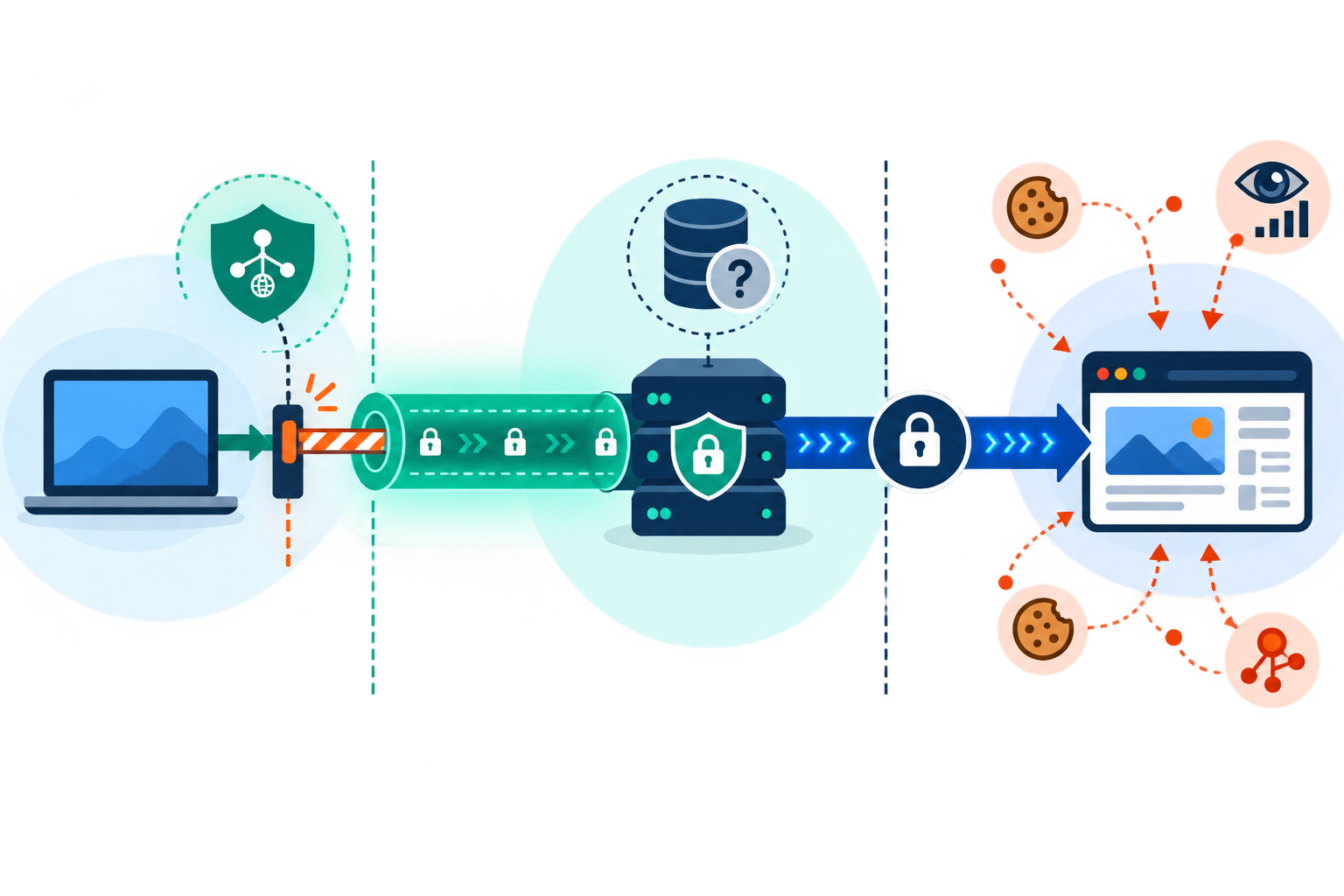
Consider where the service operates, how accounts are linked to payments, whether it uses third-party analytics, and how security incidents are disclosed. The practical VPN privacy benefit is a shift in which party can observe parts of your connection, not the disappearance of all observers. Use a provider whose incentives and technical practices you can reasonably evaluate.
Because the VPN company handles your connection, its policies and track record matter.
Compare Five Privacy and Security Controls
Use this checklist to assess a VPN service and the device using it.
| Control | Question to ask | Why it matters |
|---|---|---|
| Tunnel protocol | Is it current and documented? | Implementation affects protection |
| DNS handling | Are lookups routed through the tunnel? | Reduces local DNS exposure |
| Kill switch | What happens if the tunnel drops? | Limits accidental direct routing |
| Logging | What data is retained, and why? | Provider visibility affects privacy |
| Device security | Are updates and MFA enabled? | Protects data outside the tunnel |
4. Use a VPN as One Layer of Protection
Pair a VPN with HTTPS, unique passwords, multifactor authentication, secure device settings, and careful app permissions. CISA’s Secure Our World guidance covers account and device habits that matter even when a VPN is on. Avoid installing unknown clients or browser extensions that ask for broad permissions without a clear reason.
Before relying on a VPN, check the app’s routing status, test for leaks, and understand how it behaves when connectivity fails. For organizational access, follow the employer’s configuration and security policy. For personal browsing, choose a service whose privacy claims are specific and verifiable. These checks make VPN privacy more concrete: look for protections you can verify, not absolute promises. Repeat the checks after a major app or policy update. VPN privacy is one part of a larger security plan, not a promise of anonymity.
Private Browsing, Free VPNs, and Practical Security Controls
Browser private mode and a VPN solve different problems. Private mode usually clears or limits local history after the session, but your school, employer, Wi-Fi operator, internet provider, or the websites you visit may still see activity. A VPN encrypts traffic to its server, but your signed-in accounts and the VPN provider still matter. HTTPS remains important because it protects the connection between your browser and each secure website.
Look for practical safeguards rather than absolute promises: a clear logging policy, independent audits where available, DNS and IP leak protection, current protocols, and a kill switch. A kill switch blocks internet traffic if the VPN tunnel drops, instead of letting apps quietly switch back to your regular connection. Multifactor authentication adds a second proof of identity, such as an app code or device approval, so a stolen password alone is less useful to an attacker.
Free plans vary. Some limit data, speed, server locations, or session length; some may rely on ads or tracking. A free service is not automatically unsafe, but check its funding and permissions. A VPN also cannot remove malware, stop phishing, prevent every form of browser tracking, or protect information already exposed on an infected device. Keep your device updated, use unique passwords, and avoid unverified VPN apps.
VPN protocols are the rules that set up and protect the tunnel. IPsec is commonly used for network-to-network connections; SSL/TLS-based VPNs often support browser or app access. For sensitive work, use the configuration approved by your organization and confirm what the client actually protects.
Leave a Reply