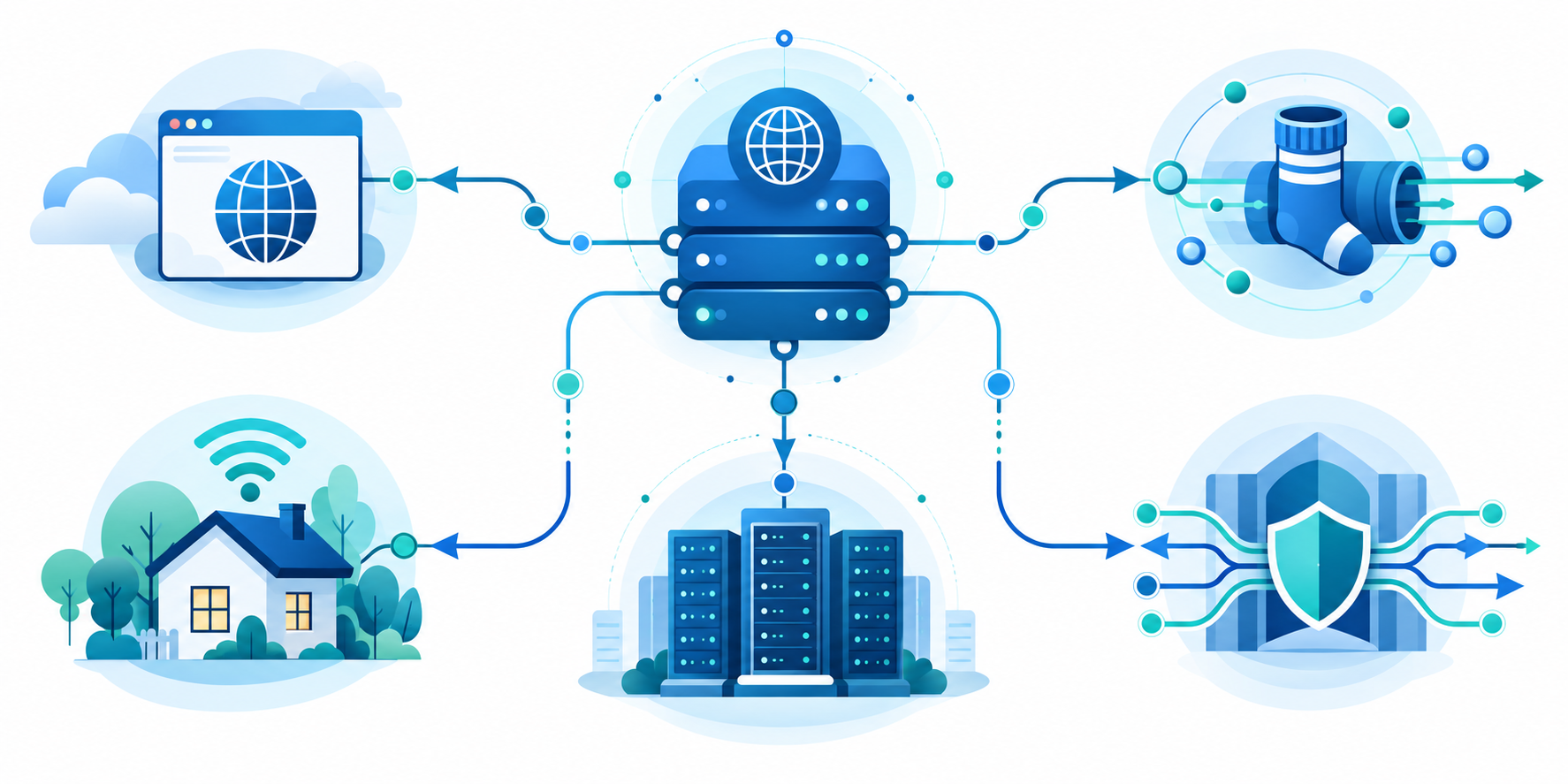
HTTP, SOCKS, residential, and transparent proxies route web traffic in different ways.
Quick summary:
- Proxy server types differ by protocol, address source, visibility, and job; labels alone do not tell you what data a provider records.
- HTTP/HTTPS proxies focus on web requests; SOCKS5 can carry more kinds of app traffic. Neither protocol automatically guarantees encryption or privacy.
- Residential, mobile, and datacenter proxies use different kinds of IP addresses. ‘Transparent,’ ‘anonymous,’ ‘elite,’ and ‘distorting’ labels describe visibility, but definitions vary.
- Forward proxies route users’ requests outward; reverse proxies sit in front of websites to manage incoming traffic. A web proxy and Tor are different tools, not interchangeable labels.
- Public/shared proxies can be overloaded or unaccountable; dedicated access may improve control but does not make you anonymous. HTTPS tunneling differs from SSL inspection, which decrypts and re-encrypts traffic.
- Choose by app, authorized purpose, and required location. Check IP sourcing, authentication, encryption, logging, and retention, and never use a proxy to bypass access controls.
A proxy is not one single technology. Proxy server types differ by the traffic they handle, the address they present, and how much information they reveal. Knowing these distinctions helps you choose a service for web testing, network policy, or location-specific checks without assuming every proxy provides anonymity or security.
Protocol-Based Proxy Server Types
An HTTP proxy handles web requests and is often set up in a browser or app. To use an HTTPS website through a proxy, the browser can ask the proxy to open a temporary tunnel using HTTP’s CONNECT request. HTTPS protects the page content, but the proxy may still see the site’s name and when you connect. Encryption does not prove that the proxy operator is trustworthy. MDN’s guide to proxy servers and tunneling explains these two proxy roles.
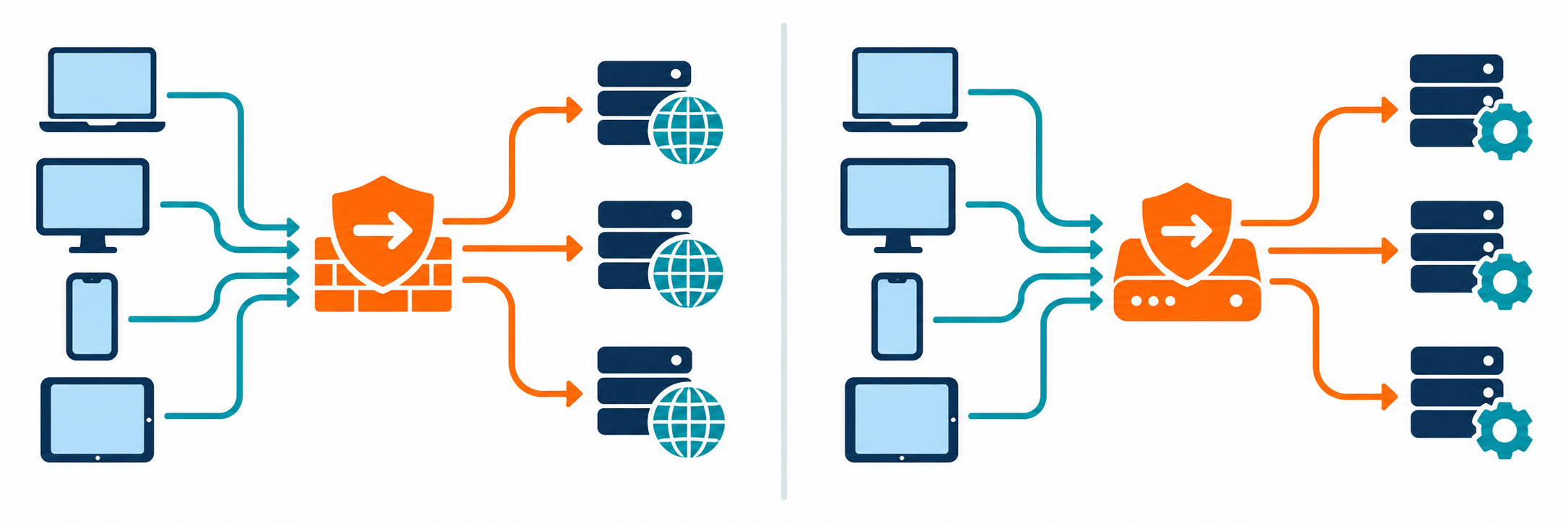
SOCKS proxies can route traffic for more kinds of apps than web-only HTTP proxies. SOCKS5 may support sign-in and UDP, a way to send data with less setup that is often used by real-time apps such as calls or games. Features vary. Neither SOCKS nor HTTP automatically encrypts traffic or makes you anonymous. Treat the protocol name as a description of what the proxy can do, not a safety rating.
The protocol tells you what kinds of traffic a proxy can handle. The provider’s privacy policy tells you how it handles your data. Check both.
Proxies by Address and Visibility
Residential proxies use internet addresses assigned to home connections; mobile proxies use addresses assigned through mobile networks. They can help test how a website behaves on different networks. Providers should explain where the addresses come from and whether people agreed to participate. If that information is missing, be cautious.
Datacenter proxies use addresses from hosting providers and are often easier to provision at scale. Transparent proxies may identify themselves and can be used by schools, businesses, or network operators to apply policy. Anonymous and elite are common marketing labels for how a proxy presents client details, but terminology is inconsistent. Verify behavior rather than trusting labels.
Web, Reverse, and Public Proxies
A web proxy is accessed through a web page and can be simple for basic browsing, although it may have limited compatibility and privacy controls. A reverse proxy sits in front of a website and receives requests for the main server. It can spread requests across several servers, save copies of content to speed up loading, and control access. Website operators use reverse proxies; they are not the same as a consumer privacy proxy.
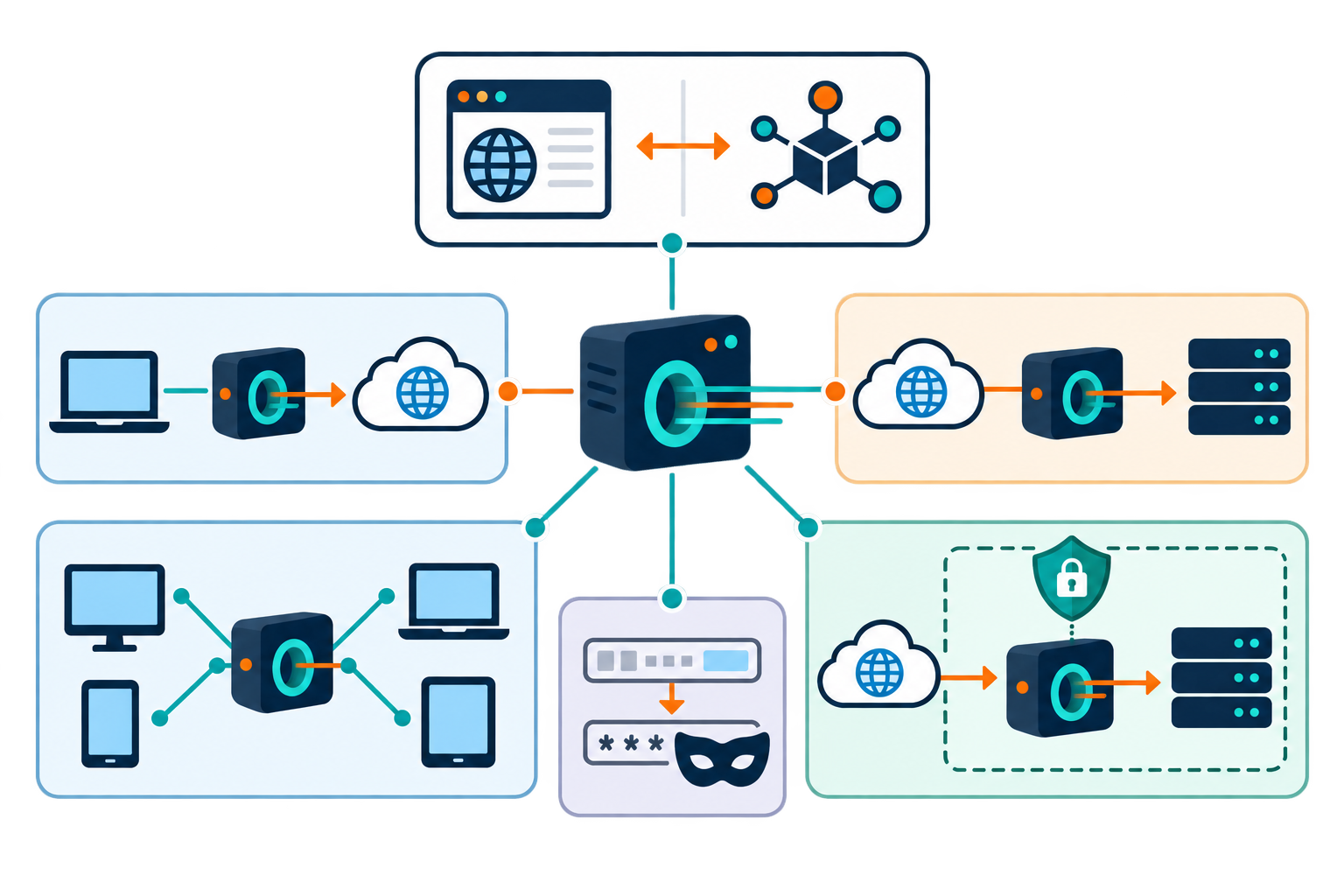
Public proxies are open to many users and may be operated with little accountability. They can be overloaded, misconfigured, or deliberately hostile. A proxy can mask an IP address from a destination, but the operator may observe traffic and metadata. Avoid public proxies for account logins or sensitive work, especially when the service’s identity and data handling cannot be verified.
A reverse proxy is a tool for running a website, not a way for an individual user to browse anonymously.
Compare the Main Proxy Categories
This overview summarizes common categories. A provider may combine several features, and names alone do not tell you what data is logged or encrypted.
| Type | Typical role | Key consideration |
|---|---|---|
| HTTP/HTTPS | Web request forwarding | Browser and protocol compatibility |
| SOCKS5 | Flexible application routing | Encryption is not inherent |
| Residential/mobile | Network-specific testing | Consent and IP sourcing |
| Datacenter | Scalable server-based routing | May be readily identified |
| Transparent | Policy or caching on a network | May disclose its presence |
| Reverse | Front end for an origin service | Requires operator configuration |
| Public/web | Convenient shared access | Trust, reliability, and privacy |
How to Select a Proxy Responsibly
Start with the protocol your app requires and the specific location or network behavior you need to test. Review authentication, encryption support, retention, abuse response, and IP sourcing. For a formal reference on how web requests work, see the HTTP Semantics specification. The proxy provider’s own documentation should explain how its service works.
Use a proxy only for traffic you are authorized to route. Respect site terms and applicable laws, and avoid using proxies to evade access controls or collect personal data improperly. If your goal is protecting device-wide traffic on public Wi-Fi, compare a VPN instead. If the goal is controlled testing, a reputable, documented proxy with a narrow scope may be the better fit.
Before choosing, write down which app you need to route, what information the proxy may see, and what the provider says it records.
More Proxy Types: Forward, Anonymous, Shared, and Tor
A forward proxy handles requests going from a user or a group of users to the internet. Companies may use one to filter web requests, apply access rules, or cache copies of frequently requested pages. A reverse proxy sits on the other side: it receives requests for a website and passes them to the website’s own servers. It can help distribute traffic, cache content, and control access. A reverse proxy is a website-management tool, not a personal browsing service.
HTTP proxies focus on web traffic. SOCKS proxies can carry traffic from more kinds of apps, including file-transfer tools and some games. SOCKS4 is an older version; SOCKS5 adds options such as user authentication and support for more traffic types. Neither SOCKS version automatically encrypts the data. With HTTPS, the browser and website encrypt the page content, but the proxy may still learn connection details such as the destination and timing.
Web proxies run inside a webpage, so they can be convenient but may have limited features and may inject ads or scripts. A URL-forwarding service is not the same as a proxy server: it redirects a web address to another address. Tor is also distinct from a single proxy. It routes traffic through several volunteer-run relays, with encryption between the steps, but its performance and protections depend on how it is used.
Proxy labels for anonymity are not standardized. An anonymous proxy may hide your IP address from the website but reveal that a proxy is being used. A high-anonymity or “elite” proxy tries to hide both details; a distorting proxy announces itself while presenting a different IP address. A transparent proxy may reveal your original address or identify itself, so it should not be treated as anonymous.
Commercial proxies may be shared by many customers, shared with a small group, or dedicated to one customer. A dedicated address can make access rules easier to manage, but it is more closely associated with one user or organization. Public proxies are open to anyone and offer little accountability. Residential and mobile proxy addresses come from home or mobile networks, while data-center addresses come from hosting providers. Ask how addresses are sourced and whether the people whose connections are used have agreed to participate.
SSL Inspection and Public Proxy Levels
An HTTPS proxy can pass a browser’s encrypted connection through a proxy using a CONNECT request without reading the page content. A different setup, sometimes called an SSL-inspection proxy, decrypts and re-encrypts traffic so an organization can scan or filter it. That inspection requires a trusted certificate on the device and gives the operator access to content while it is inspected. Only use it when you understand the policy and trust the organization managing it.
Some guides group public proxies into three rough levels: a transparent proxy may reveal the user’s address; an anonymous proxy may hide that address but identify itself as a proxy; a high-anonymity proxy tries to hide both. These labels are not universal technical guarantees. A proxy may also cache pages to improve performance, filter content, or add its own scripts or ads. Check the actual behavior, not just the category name.