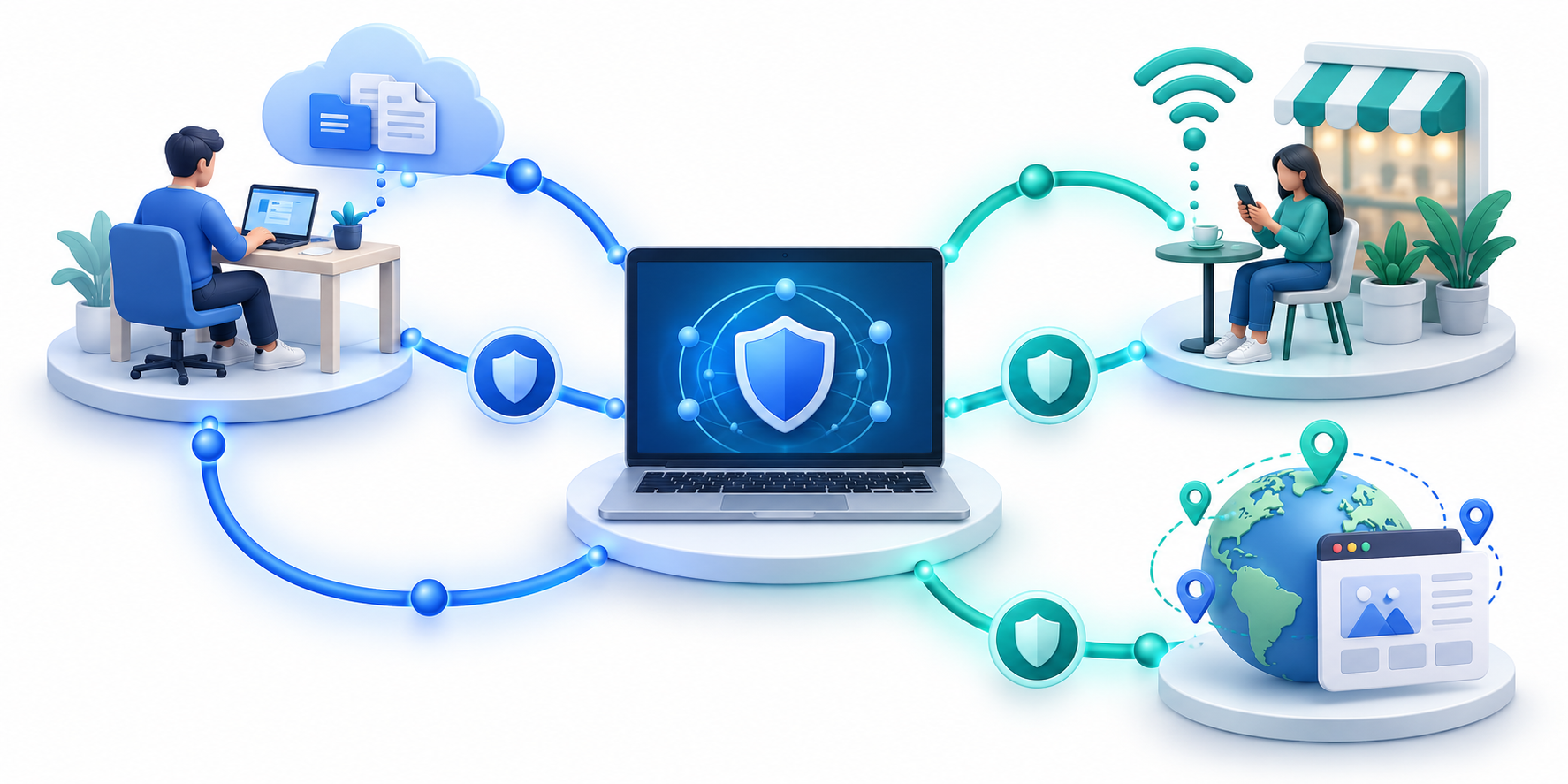
Common VPN and proxy uses include remote work, public Wi-Fi, and regional site testing.
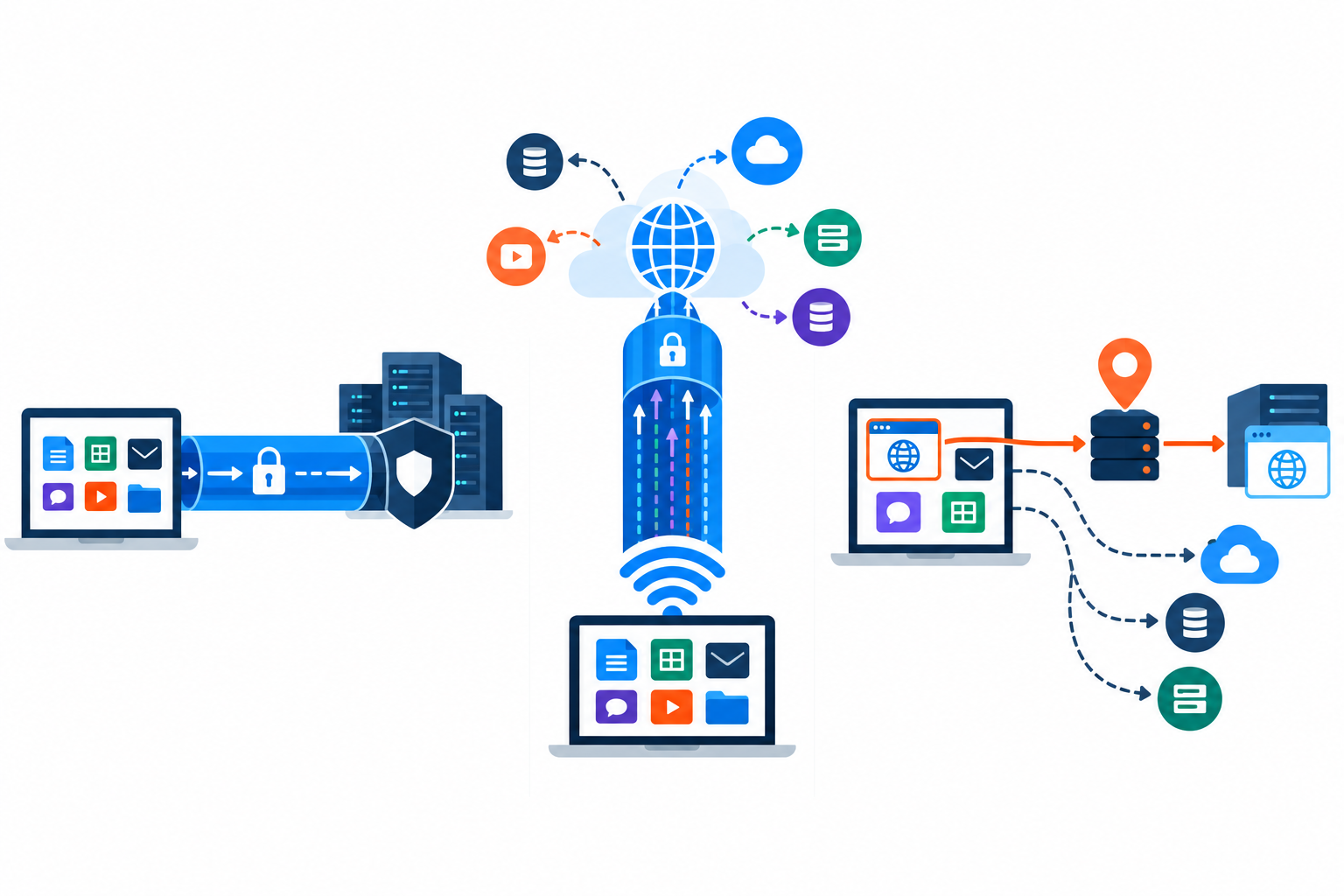
VPN proxy uses depend on the task, not on which tool sounds more private. A virtual private network (VPN) usually routes more of your device’s traffic through an encrypted connection. A proxy usually handles selected app traffic. They overlap because both can send a request through another server. Decide whether you need broader protection, approved work access, or one narrow routing test.
When a VPN Is the Better Fit
Public Wi-Fi is a common reason to consider a VPN. A properly configured VPN can encrypt traffic between your device and the VPN gateway, reducing what the local network can read. Keep using HTTPS and secure account practices because the VPN does not prevent phishing, compromised devices, or tracking by a service where you are signed in. The FTC’s VPN-app guidance explains why users should check whether an app encrypts traffic and how it handles data.
Quick Summary
- VPN proxy uses depend on scope: a VPN often routes more device traffic through an encrypted tunnel, while a proxy usually routes selected apps.
- Use a VPN for public Wi-Fi and employer-approved remote access; use a proxy for one app or regional website testing, where narrow routing may be enough.
- The article compares seven scenarios, including company intranets, multiple apps, travel, streaming, gaming, and regional checks. The right tool depends on the task and service rules.
- Ask which apps need routing, whether local-network encryption matters, who operates the service, and whether the use is authorized. Check for DNS/IP leaks; neither tool guarantees anonymity.
- The article also distinguishes remote-access VPNs from site-to-site links and VPN routers, which can cover compatible home devices through one connection.
- Schools, employers, governments, and streaming platforms may block VPNs for policy or licensing reasons. Follow those rules and ask IT for an approved connection instead of bypassing restrictions.
Remote employees may use an organization-managed VPN to reach internal tools. An employer can require extra sign-in checks, updated devices, and specific routing rules. Follow those settings rather than installing a consumer VPN that could conflict with work access. CISA and NSA’s guide to securing remote-access VPNs covers updates and configuration for organizations.
A VPN is usually the better fit for shared Wi-Fi or an employer-approved remote connection.
When a Proxy Is the Better Fit
A proxy can help a developer or site owner check how a page responds from different regions, verify localization, or route only one application through a chosen endpoint. This narrow scope can reduce setup complexity when device-wide routing is not required. It is especially useful in controlled testing when the operator can explain the proxy’s source addresses and logging.
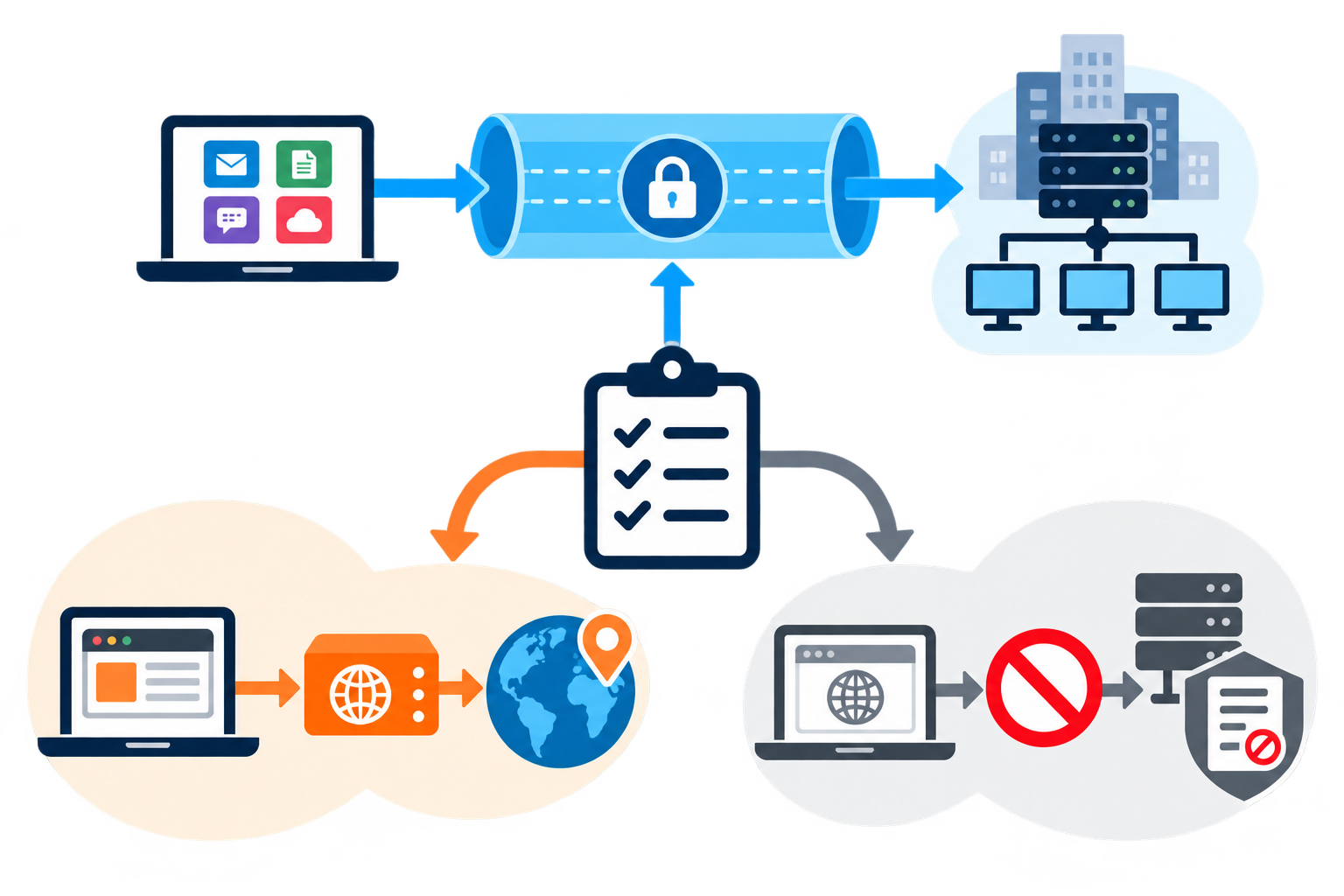
A proxy may also be configured by an organization to filter or monitor traffic under a published policy. In that context it is an administrative control, not a personal privacy tool. Avoid free or anonymous proxies for sensitive logins: the operator may see metadata, disrupt connections, or expose users to misleading pages.
For example, a proxy can route one test browser through a documented server without changing every app on your device.
Seven VPN Proxy Uses at a Glance
The table is a quick guide, not a guarantee. Network rules, provider features, and local law can change the appropriate choice.
| Scenario | Starting point | Reason |
|---|---|---|
| Untrusted public Wi-Fi | VPN | Broader encrypted tunnel |
| Company intranet | Approved work VPN | Managed access and policy |
| Regional page testing | Proxy | Targeted location routing |
| One app needs routing | Proxy or app VPN | Scope can be limited |
| Multiple apps on a device | VPN | Centralized tunnel coverage |
| Network content filtering | Managed proxy | Policy enforcement by operator |
| Sensitive account activity | VPN plus HTTPS and a second sign-in check | Layered protection, not anonymity |
A Simple Decision Framework
Ask four questions: Which applications need routing? Must the traffic be encrypted on the local network? Who operates the intermediary? Is the goal authorized and consistent with the service’s rules? If broad protection or managed remote access is needed, a VPN is usually the more natural starting point. If only one test or application needs a different route, a proxy can be appropriate.
Then verify your setup. Confirm the intended apps use the service and look for DNS leaks (website-name lookups going outside the VPN) or IP leaks (a site seeing your home connection’s address). Make sure secure sites still use HTTPS. For work access, contact IT if you are unsure. CISA’s online safety recommendations also emphasize habits such as updates and multifactor authentication, which matter regardless of your routing tool.
Use the Narrowest Tool That Meets the Need
First name the task. For broad, encrypted coverage, start by comparing reputable VPNs. For one app or a controlled location test, a proxy may be enough. Neither tool guarantees anonymity or makes unsafe browsing safe. Protect your accounts and devices, and choose stronger safeguards for sensitive work.
Remote Access, Site-to-Site VPNs, and VPN Blocks
A remote-access VPN connects one person’s device to a private network, such as an employer’s network. A company may require a VPN client and a work login before the employee can reach internal files or apps. A site-to-site VPN connects two or more whole networks, often branch offices, through secure gateways; individual devices do not each need to create a separate office-to-office tunnel. Cloud VPN services extend these ideas to applications and networks hosted by cloud providers.
Personal uses include protecting traffic on public Wi-Fi, reaching an approved work network, and checking how a website or service appears from another region. People also use VPNs while traveling, for gaming, or to reach subscriptions they already pay for at home, but streaming services may block VPN addresses or restrict access under their terms. A VPN can reduce what a local network sees, but it does not guarantee access or anonymity.
Networks may block VPNs for several reasons: a school or employer may enforce its acceptable-use rules; a government may restrict sites or VPN services; or a streaming service may apply regional licensing rules. Common blocking methods include blocking known VPN IP addresses, filtering connection ports, or inspecting traffic patterns to identify VPN use.
Technical workarounds described in the source material include changing to a permitted server or protocol, using an obfuscated server, or connecting through mobile data instead of the restricted network. These options do not override school, workplace, service, or local rules. Do not bypass an access control unless you are authorized to do so; for a work or school connection, ask the network administrator for the approved route.
A VPN router is another use case: it runs the VPN at the router, so compatible devices on the home network can share the connection. This can help devices that cannot install a VPN app, such as some TVs or game consoles. It also means the router’s settings and server choice affect many devices at once.
Why VPN Connections Are Blocked
Some networks block VPN use by collecting known VPN server addresses, blocking ports used by a protocol, or inspecting traffic patterns. A school or employer may do this to enforce its network rules; governments may restrict access to websites or VPN services; streaming platforms may block addresses associated with region changes. A VPN address being blocked does not necessarily mean the VPN is broken.
For an authorized connection, a user may try another approved server or a supported protocol, and an organization’s IT team may provide an obfuscated connection or dedicated address. Dedicated addresses can still be blocked, and no method guarantees access. Switching to a personal mobile connection avoids the local Wi-Fi filter but may still be subject to the service’s rules and local law. Never evade a school or workplace restriction without permission.