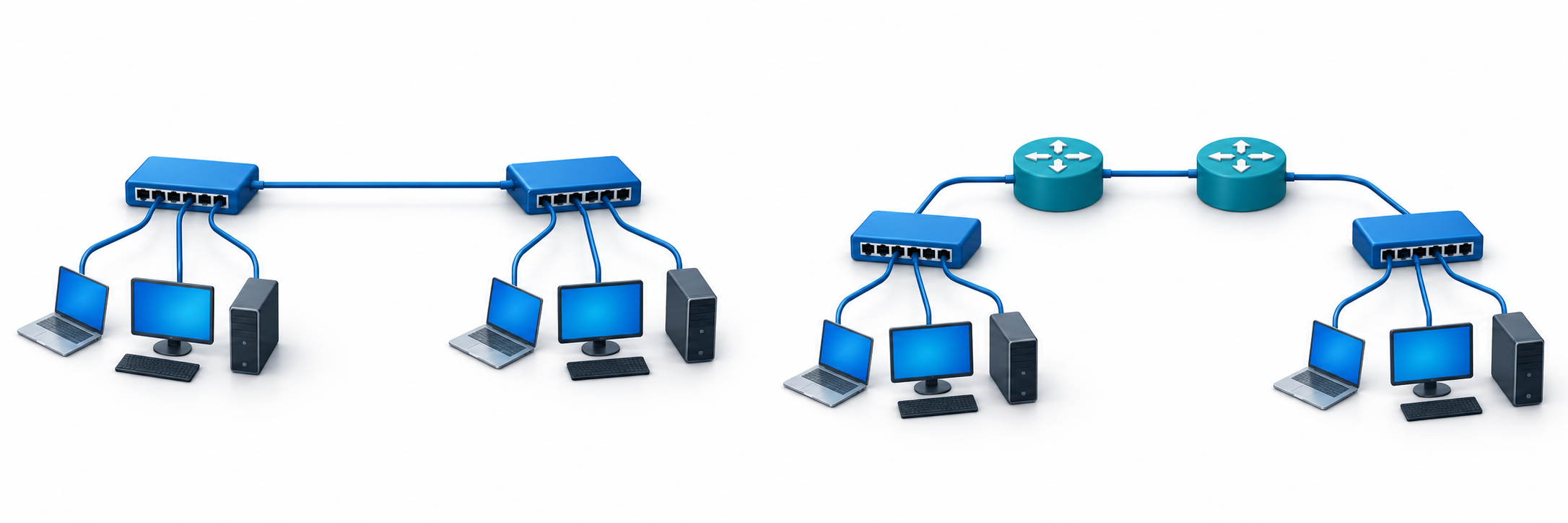
Layer 2 bridges Ethernet segments, while Layer 3 routes traffic between IP networks.
A Layer 2 VPN and a Layer 3 VPN both connect networks at different locations. They differ in what they connect: Layer 2 extends a local-style Ethernet network, while Layer 3 connects separate networks using IP addresses. This affects who manages traffic between sites, how much network chatter travels between them, and how easy the setup is to expand.
What a Layer 2 VPN Connects
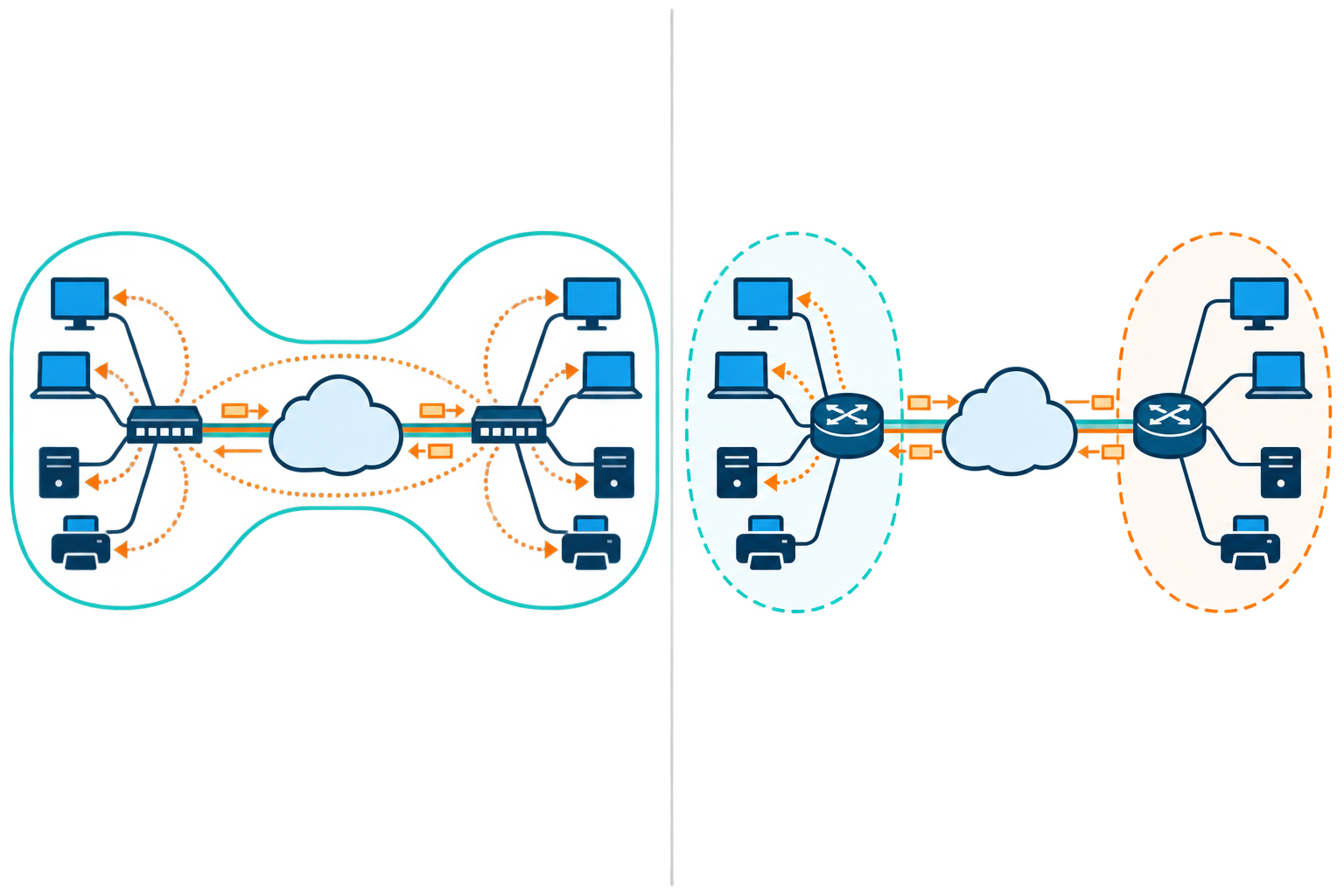
A Layer 2 VPN carries Ethernet frames, the small units of data that devices send across a local network, between sites. The sites can then behave as if they share one logical local network, even when they are far apart. This can help older software that expects devices to be on the same network.
Quick Summary
- A Layer 2 VPN extends Ethernet so distant devices can act like one local network; a Layer 3 VPN routes between separate IP networks.
- Layer 2 may support older apps that need one shared segment, but broadcasts and faults can spread across sites. Layer 3 keeps local network messages local and can scale more easily.
- The comparison covers who manages routes, addressing, traffic behavior, growth, and operations. Layer 3 still needs clear address ranges and access rules.
- Choose Layer 2 only when shared-LAN behavior is genuinely required, and plan VLAN separation, backup links, and fault containment. Choose Layer 3 for independent networks with controlled routing.
- Before deployment, map sites, apps, addresses, latency, packet size, failover, and monitoring; test backups and recovery to understand outages.
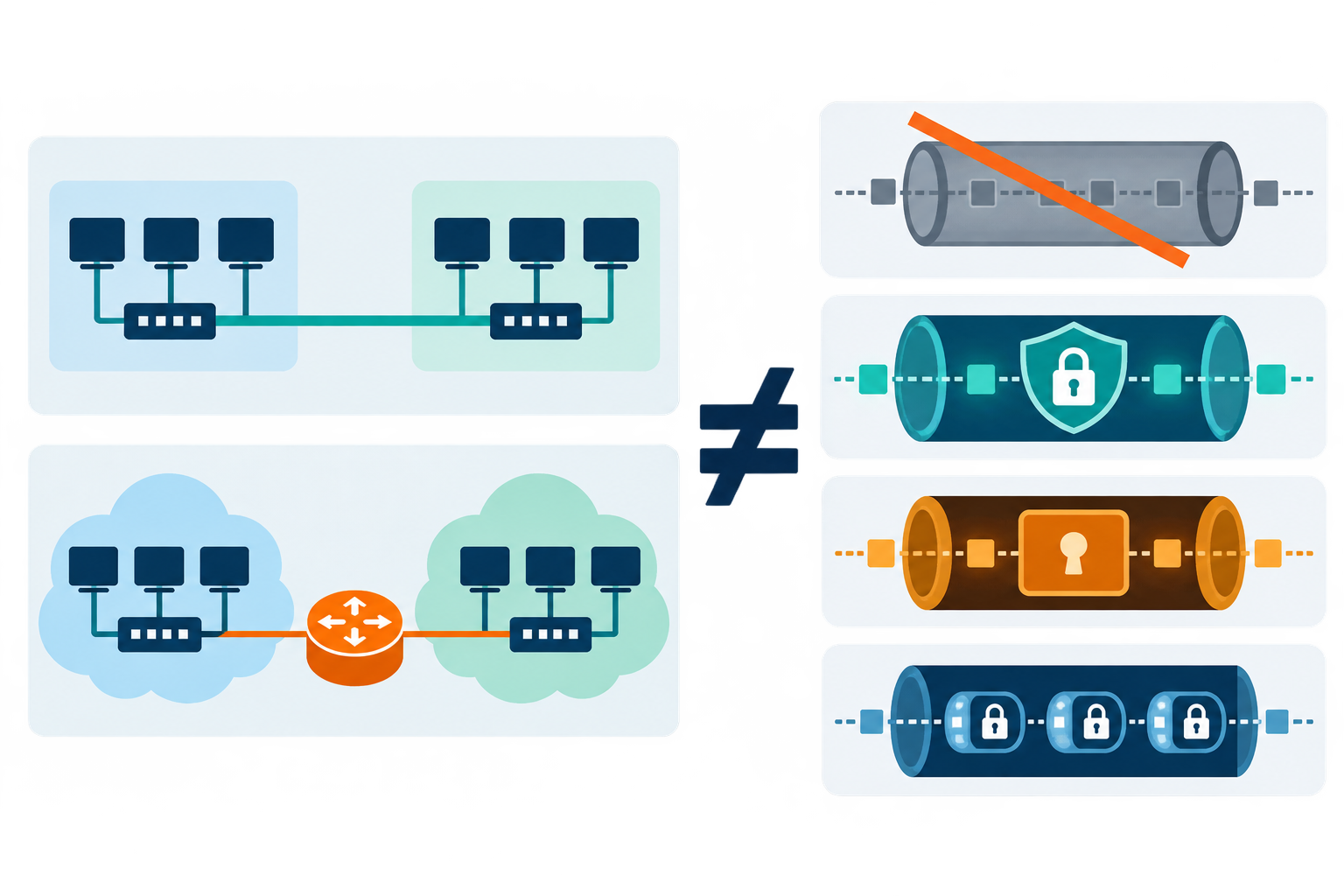
- Network layers are not tunnel protocols. A private VPN does not automatically encrypt every link; use a current supported protocol and avoid PPTP for sensitive traffic.
With Layer 2, some routine network messages can travel across all connected sites instead of staying local. This extra traffic can make problems harder to find and can spread the effects of a setup mistake. Teams should plan how to separate groups of devices, add backup links, and handle outages before extending a local network.
What a Layer 3 VPN Connects
A Layer 3 VPN connects separate networks by using IP addresses and routing rules. The company’s network equipment and, in some services, the provider’s equipment share information about which network can be reached through each site. Each location can keep its own address range, and local network messages usually stay at that location. For a technical example, IETF RFC 4364 describes one common provider-based Layer 3 VPN model.
Layer 3 can be easier to manage when many sites need to connect, but teams must agree who sets addresses, routing rules, and access limits. Each site should have a distinct address range. Decide what should happen if a connection fails. The service itself does not automatically encrypt data or decide which users may access each network.
Layer 2 VPN vs Layer 3 VPN
The comparison below highlights common design differences. Provider implementations and service names vary, so review the actual technical specification before deployment.
| Design factor | Layer 2 VPN | Layer 3 VPN |
|---|---|---|
| Service behavior | Extends Ethernet connectivity | Connects routed IP networks |
| Who manages traffic routes | Often customer-managed end to end | Provider or customer team manages routes |
| Where local messages travel | Can span remote locations | Usually remains local to each site |
| Address setup | Can preserve existing subnet design | Requires routed prefix planning |
| Typical appeal | Older apps needing one shared local network | Scalable, policy-based inter-site routing |
| Main caution | Shared networks can be harder to manage | Route errors or overlapping address ranges |
How to Choose the Right Service
Choose Layer 2 when an application truly needs devices at different sites to act like they are on the same local network. A VLAN is a way to separate groups of devices on a network. Before choosing this setup, check the maximum data size, backup connections, and how a problem at one site will be contained. Keep the shared network small and plan how to prevent loops, where data travels around in circles.
Choose Layer 3 when each site can keep its own address range and you want to control which locations can reach one another. The team must decide which networks each site can reach and what traffic is allowed. For a technical reference, RFC 4664 describes common Layer 2 and Layer 3 VPN service models.
Deployment Checklist and Security Notes
Before selecting a service, list each location, its address range, the apps that need to connect, acceptable delays, backup plans, and what must stay private. Decide who will monitor the connection and handle problems. In a controlled test, check how quickly traffic switches to a backup, whether large data packets work, and how service recovers after an outage. CISA and NSA’s guide to choosing and securing remote-access VPNs explains why updates and careful configuration matter.
Do not assume that a private VPN service automatically encrypts data across every transport segment. Carrier isolation and cryptographic confidentiality are different properties. If confidentiality is required over an untrusted network, specify encryption separately and validate the protocol and endpoint controls. A documented architecture reduces ambiguity and makes it easier to determine whether a Layer 2 VPN or Layer 3 VPN meets the actual business need.
VPN Connection Protocols, in Brief
Layer 2 and Layer 3 describe what kind of network is being connected. A connection protocol is the set of rules used to create or protect the VPN connection. You do not need to memorize these names to compare a service; check the provider’s security updates and whether it works with your devices.
Some older options are less safe: PPTP has known weaknesses and should not be used for sensitive information. L2TP does not encrypt data by itself, so it is often paired with IPsec. IKEv2/IPsec, OpenVPN, and WireGuard are commonly supported choices, but the provider and device settings matter. A protocol name alone does not prove an app is secure.
Some services use SSL/TLS, the same general family of encryption that protects HTTPS websites. They may open selected apps in a browser or create a wider tunnel. No protocol replaces strong sign-in, software updates, and limited access. For school or work, follow the approved setup.
Choosing a Protocol Without Confusing It With a Network Layer
Layer 2 and Layer 3 describe what kind of network the service connects. IPsec, OpenVPN, and WireGuard are examples of protocols that set up or protect the connection. They answer different questions; for example, a Layer 3 design can use IPsec.
Before choosing, check which protocols your school or workplace supports, which devices they work on, and whether the provider still updates them. Avoid PPTP for sensitive information because it has known weaknesses.